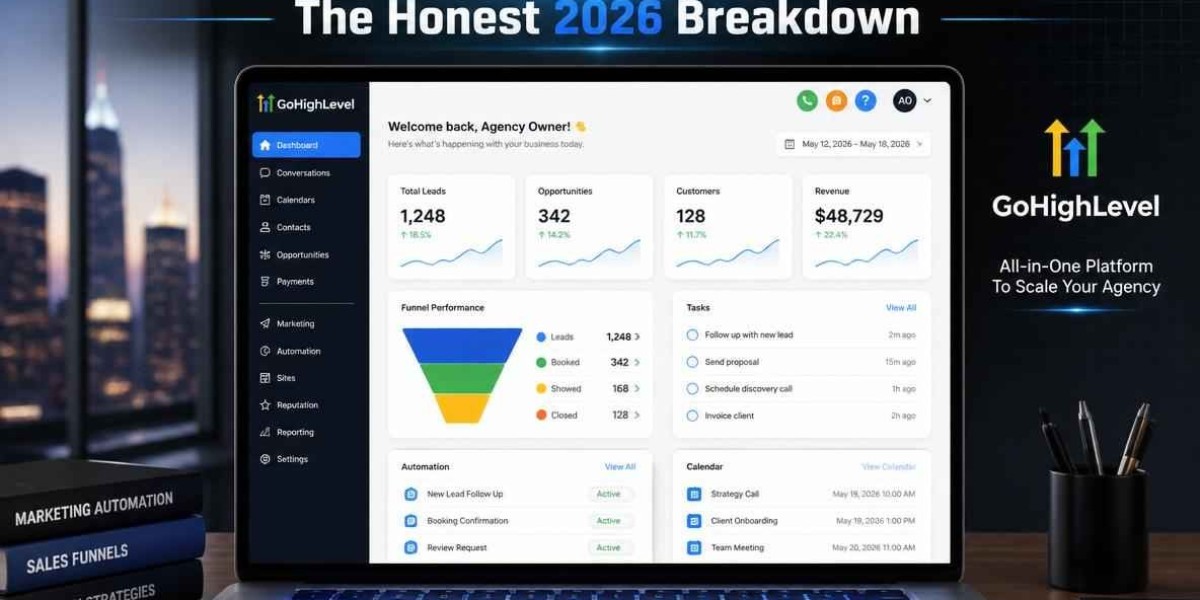

Selecting the right Customer Relationship Management (CRM) platform can be one of the most important decisions a small business makes. A CRM is more than a digital contact list—it's the foundation for managing leads, nurturing customer relationships, automating repetitive tasks, and increasing revenue.
With dozens of CRM solutions available, choosing the best option isn't always straightforward. Some platforms focus on sales, while others specialize in marketing automation, customer service, or project management. Understanding what your business truly needs can help you avoid costly mistakes and choose software that supports long-term growth.
In this guide, we'll explore the most important factors to evaluate when comparing the top-rated CRM platforms for small business, helping you invest in a solution that delivers measurable results.
Why CRM Software Has Become Essential
Today's customers expect fast responses, personalized communication, and consistent service. Managing these expectations manually becomes increasingly difficult as your business grows.
Without a CRM, businesses often experience:
- Lost customer information
- Missed sales opportunities
- Delayed follow-ups
- Poor communication
- Duplicate records
- Inconsistent customer experiences
Modern CRM platforms solve these challenges by centralizing customer data and automating everyday business processes.
Factor 1: Choose a CRM That Matches Your Business Goals
Before comparing software, identify what you want your CRM to accomplish.
Ask questions like:
- Do you want more sales?
- Do you need better customer support?
- Are you trying to automate marketing?
- Do you need appointment scheduling?
- Is reporting your highest priority?
Your answers will help narrow down the right solution instead of choosing features you'll never use.
Factor 2: Evaluate Contact Management Capabilities
At its core, every CRM should organize customer information efficiently.
The top-rated CRM platforms for small business typically include:
- Customer profiles
- Contact history
- Notes
- Activity tracking
- Tags
- Custom fields
- File attachments
- Search filters
An organized database allows employees to quickly access customer information without searching through multiple systems.
Factor 3: Look for Workflow Automation
Automation is one of the biggest reasons businesses invest in CRM software.
Useful automation features include:
- Welcome emails
- Follow-up reminders
- Lead assignments
- Appointment confirmations
- Customer onboarding
- Invoice reminders
- Review requests
- Renewal notifications
These automated workflows save time while ensuring customers receive consistent communication.
Factor 4: Review Sales Pipeline Features
A visual sales pipeline helps businesses track opportunities from initial inquiry to completed sale.
Typical pipeline stages include:
- New Lead
- Contact Made
- Qualified Prospect
- Proposal Sent
- Negotiation
- Closed Won
- Closed Lost
Pipeline management provides greater visibility into sales performance and future revenue.
Factor 5: Consider Integration Options
A CRM should work with the software you already use.
Popular integrations include:
- Google Workspace
- Microsoft Outlook
- Google Calendar
- Zoom
- QuickBooks
- Stripe
- Slack
- Mailchimp
- Microsoft Teams
Integrated systems eliminate duplicate work and improve operational efficiency.
Factor 6: Prioritize Reporting and Analytics
Business decisions should be backed by data rather than assumptions.
A quality CRM should provide dashboards showing:
- Lead generation
- Conversion rates
- Sales performance
- Revenue trends
- Marketing campaign results
- Customer retention
- Employee productivity
These insights help identify strengths, weaknesses, and opportunities for improvement.
Factor 7: Ensure Mobile Accessibility
Business doesn't stop when you're away from your desk.
A mobile CRM allows your team to:
- Access customer records
- Update opportunities
- Schedule meetings
- Add notes
- Respond to inquiries
For businesses with remote employees or field technicians, mobile access is essential.
Factor 8: Think About Future Growth
Many businesses choose software based only on today's needs.
Instead, ask:
- Can additional users be added easily?
- Does the platform support automation?
- Can workflows be customized?
- Will it integrate with future software?
- Does pricing remain reasonable as you grow?
Scalable CRM software prevents expensive migrations later.
Factor 9: Evaluate Customer Support and Training
Even excellent software requires proper implementation.
Choose providers that offer:
- Knowledge bases
- Video tutorials
- Live chat
- Email support
- Community forums
- Onboarding assistance
Good support reduces implementation time and improves employee adoption.
Common CRM Buying Mistakes
Businesses often make avoidable mistakes when selecting CRM software.
These include:
Buying based only on price
The cheapest solution may lack critical features.
Ignoring employee usability
If employees don't use the CRM consistently, it won't deliver value.
Choosing unnecessary complexity
Advanced features are useful only if your business actually needs them.
Skipping implementation planning
A CRM should support existing workflows rather than create confusion.
Failing to clean customer data
Importing inaccurate information reduces CRM effectiveness from day one.
Industries That Benefit from CRM Platforms
CRM software supports businesses across nearly every industry, including:
- Digital marketing agencies
- HVAC companies
- Plumbing contractors
- Roofing businesses
- Pest control companies
- Cleaning services
- Real estate agencies
- Medical practices
- Insurance firms
- Law offices
- Financial consultants
- E-commerce retailers
If your business manages customer relationships, a CRM can improve both efficiency and customer satisfaction.
Future Trends in CRM Technology
CRM software continues evolving rapidly.
Emerging innovations include:
Artificial Intelligence
AI predicts customer behavior, recommends next actions, and automates communication.
Predictive Lead Scoring
Machine learning identifies which prospects are most likely to convert.
Conversational CRM
AI assistants communicate with customers through chat and messaging platforms.
Personalized Automation
Future CRM platforms will customize every customer journey using behavioral data.
Advanced Business Intelligence
Real-time dashboards will provide even deeper insights into sales and marketing performance.
How the Right CRM Creates Competitive Advantage
The top-rated CRM platforms for small business don't simply organize contacts—they transform how businesses operate.
Companies using CRM effectively often experience:
- Faster response times
- Higher customer satisfaction
- Increased lead conversions
- Better marketing performance
- Stronger team collaboration
- Improved operational efficiency
- More predictable revenue growth
Rather than reacting to customer needs, businesses become proactive and data-driven.
Final Thoughts
Choosing among the top-rated CRM platforms for small business isn't about selecting the software with the longest feature list. It's about finding a platform that aligns with your business goals, simplifies daily operations, and helps your team build stronger customer relationships.
By evaluating contact management, automation, reporting, integrations, scalability, and customer support, you'll be better equipped to choose a CRM that supports long-term success. As your business grows, the right CRM becomes more than software—it becomes the central hub that powers sales, marketing, and customer service.
Frequently Asked Questions (FAQs)
What is a CRM platform?
A CRM platform is software that helps businesses organize customer information, manage sales activities, automate communication, and strengthen customer relationships.
Why should small businesses use CRM software?
CRM software improves organization, increases efficiency, automates repetitive tasks, and helps businesses deliver more personalized customer experiences.
What features should a small business CRM include?
Essential features include contact management, sales pipelines, workflow automation, reporting, mobile access, integrations, and customizable dashboards.
Can CRM software increase sales?
Yes. CRM systems improve lead management, automate follow-ups, and provide better visibility into sales opportunities, helping businesses convert more prospects into customers.
Is CRM software suitable for startups?
Absolutely. Many CRM platforms offer affordable pricing, scalable features, and automation designed specifically for startups and growing businesses.